To register as a new user, just follow these simple steps:
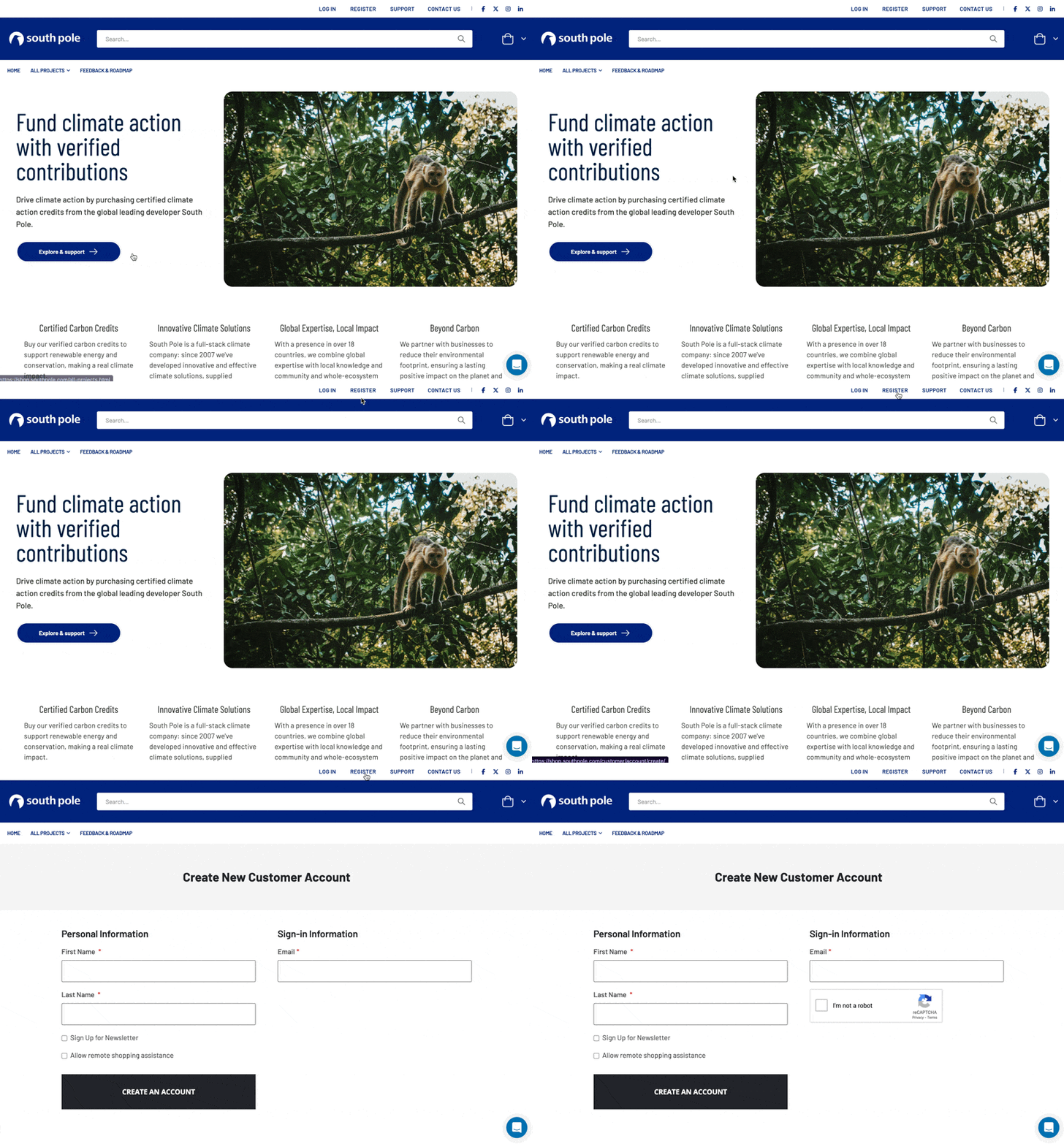
- Find the ‘Register’ Link: this is at the top of every page when you are not already logged in.
- Fill in Your Details: Clicking on the “Register” link will take you to a registration form. Here, you’ll need to fill in some personal details.
- Your first and last name
- Your email address
- There is no password - we send you a link to login instead, for increased security.
- Submit Your Registration: After filling in all the required fields, click “Create an Account” to submit the form.
- Check Your Email: Once you’ve submitted your registration, we’ll send you an email to confirm that your account. Check your inbox for this email. If you can’t find it, check your spam or junk folder just in case.
- Confirm Your Account: Open the email and click on the confirmation link inside. This will verify your email address and activate your account.
- Log In to Your New Account: With your account now active, you can go back to the site and log in.
And that’s it! You’re now registered and can start using the site. If you have any trouble during the process, use the help at the bottom left to get assistance.