Explore purchasing documentation.
Pages in this section
- Make a Purchase
Placing an order is a straightforward process. Here’s a step-by-step guide to help you through:
- Find a Project: Look through the categories and filters, or use the search bar, to find what you’re looking for. Review the project details to ensure it matches your criteria.
- Select a Quantity of CO2e: Use your footprint calculation software to work out how much CO2 to compensate.
- Enter the Details for your Certificate: When you complete your purchase we send you a certificate as proof of action. This can be customised with your own or someone else’s data. Eg you might like to compensate for work carried out on behalf of a customer, and thus enter their name and a note.
- Enter your Billing Address: if you have done this before, your previous addresses will be saved, so you’ll only have to do this once.
- Add your Payment Details: You can pay by credit card or debit card, and some customers can pay by invoice.
- Review and Place Order: If everything looks good, click ‘Place Order’. You will be take to a page where you can download your certificate. You will receive an email confirmation confirming your purchase.
:::tip A few benchmarks:
- Project selection
Projects overview
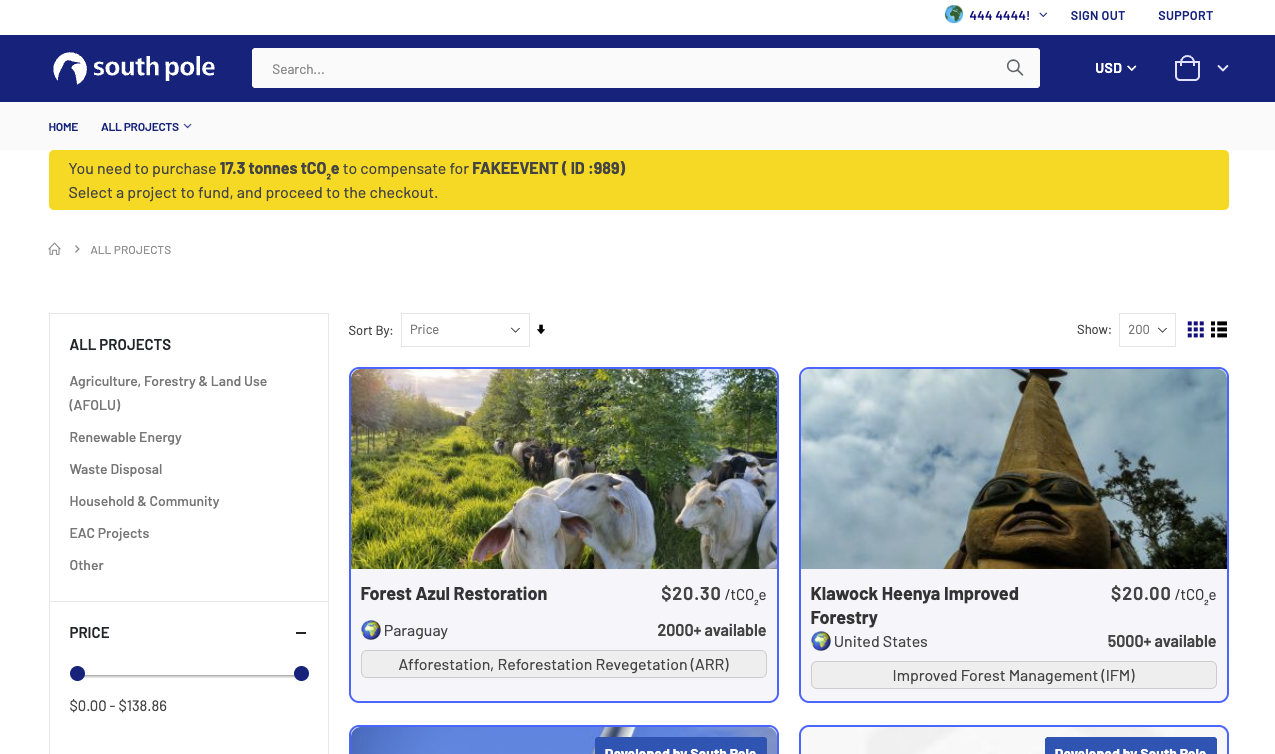
Now that you are logged in, you are ready to place the order that will complete your event impact report. You can start by reviewing the portfolio of available projects. To do that, click on “All projects” in the banner beneath the South Pole logo on the top left corner of the screen.
What is now displaying on your screen is a selection of carbon offset projects that have been vetted and approved. by South Pole and Marriott International.
- Placing an order
Video of the ordering process
- Checkout
When you have selected the project, you are ready to place the order.
- Cart validation
- Click “on “add to cart” on the project page
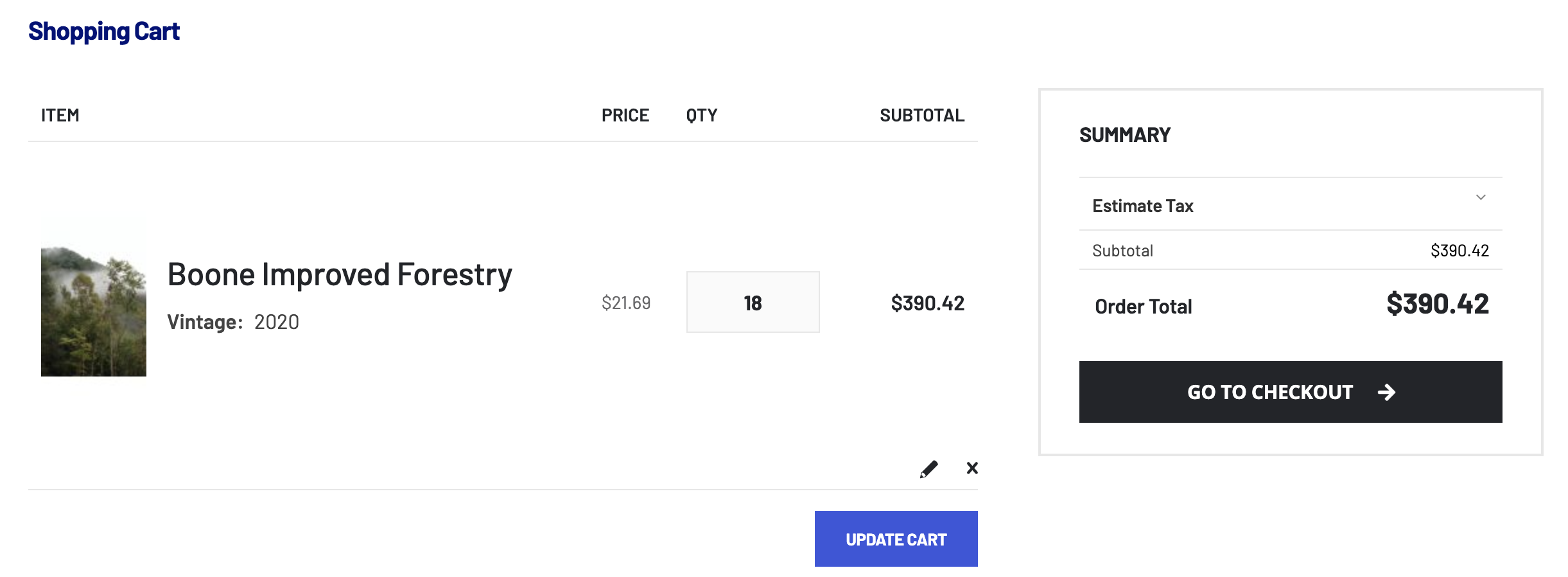
- A mini cart view pops up on the right side of your screen. Review and click on the “Go to checkout” button in the bottom right corner of the screen when you’re ready
- You’re now seeing the full cart view. If the order still looks correct to you, click again on “Go to checkout”
- Final review and payment
In this final step of the ordering process, you can have a final review of your cart on the right side of the screen.
The left side of the screen lets you select which of the 2 available payment option you would like to choose.
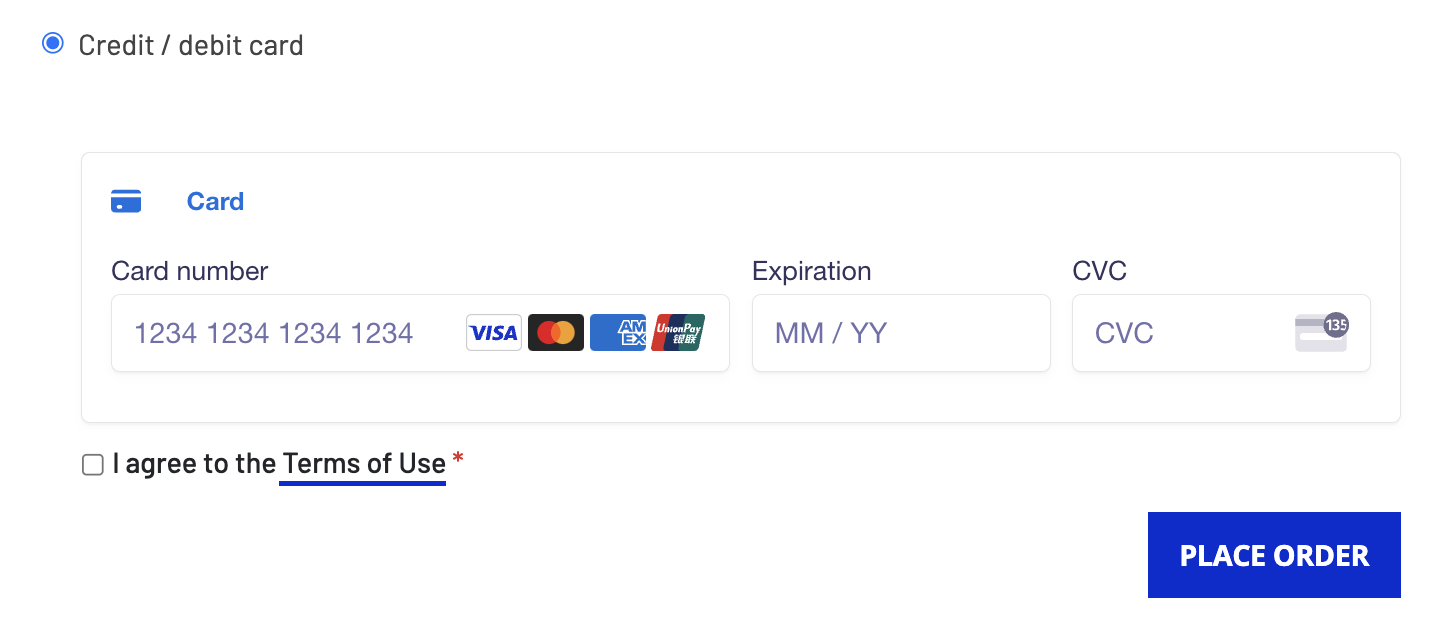
Debit/Credit card payment
- Simply fill in the card information
- Check “I agree to the Terms of Use”
- Click Place order
- If the bank approves the authentication, the order is immediately settled
- Order confirmation and certificate of climate action
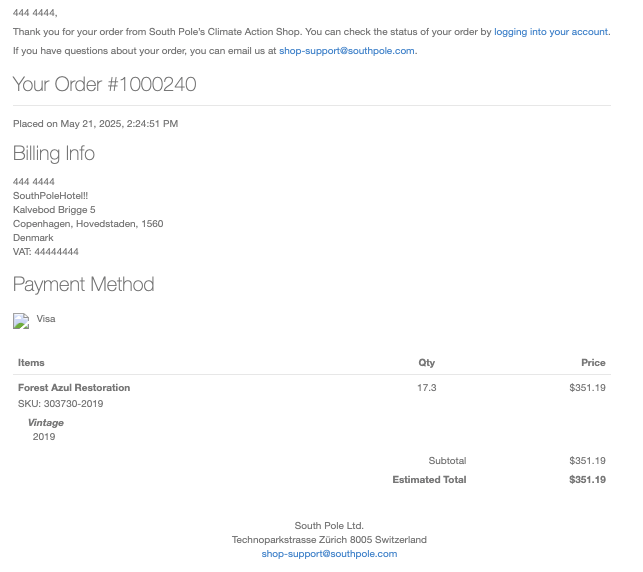
In the few minutes following your clicking of the “Place order” button, you will receive an order confirmation email with the subject line “Your South Pole Carbon Asset Management Ltd. order confirmation”
The body of this email contains a summary of your order: billing information, chosen payment method, supported project, total order volume in ton and total order value.
Attached to this email is the certificate climate action that contains your event name, chosen project and order volume. The certificate can now be sent to the customer along with the Published Meeting Impact Report.