Projects overview
Now that you are logged in, you are ready to place the order that will complete your event impact report. You can start by reviewing the portfolio of available projects. To do that, click on “All projects” in the banner beneath the South Pole logo on the top left corner of the screen.
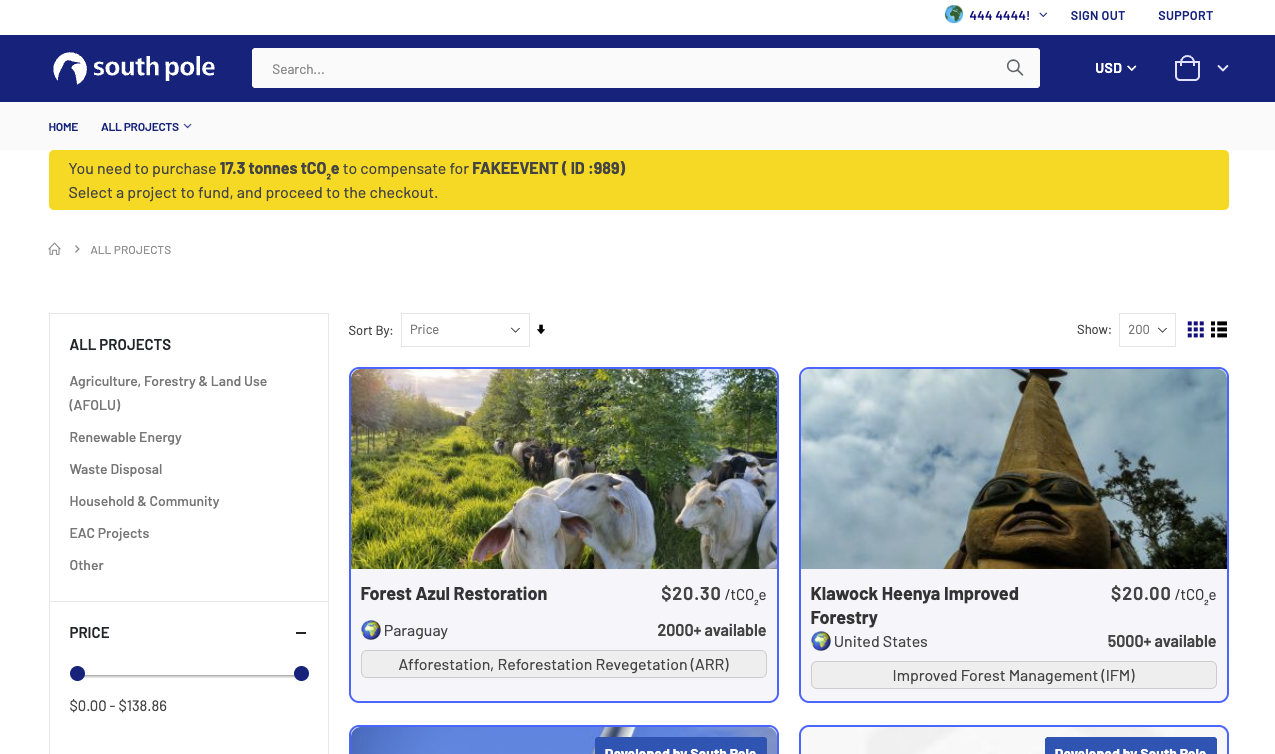
What is now displaying on your screen is a selection of carbon offset projects that have been vetted and approved. by South Pole and Marriott International.
In this project selection page, you will find the basic information about each project:
- Project name
- Project price per ton of CO2 equivalent
- Country in which the project is based
- Mitigation technology it uses to reduce emissions
You can use the filters on the left side of your screen to pinpoint any of these characteristics.
Please note that by default, prices are shown in USD. You can click on the currency drop down menu in the top left corner of your screen to change that. No fees are applied for changing currencies.
Project details
Once you have selected a project, you can click on it to view more detailed information, like the solution it provides, the Sustainable Development Goals it helps support or the vintage year that is available.
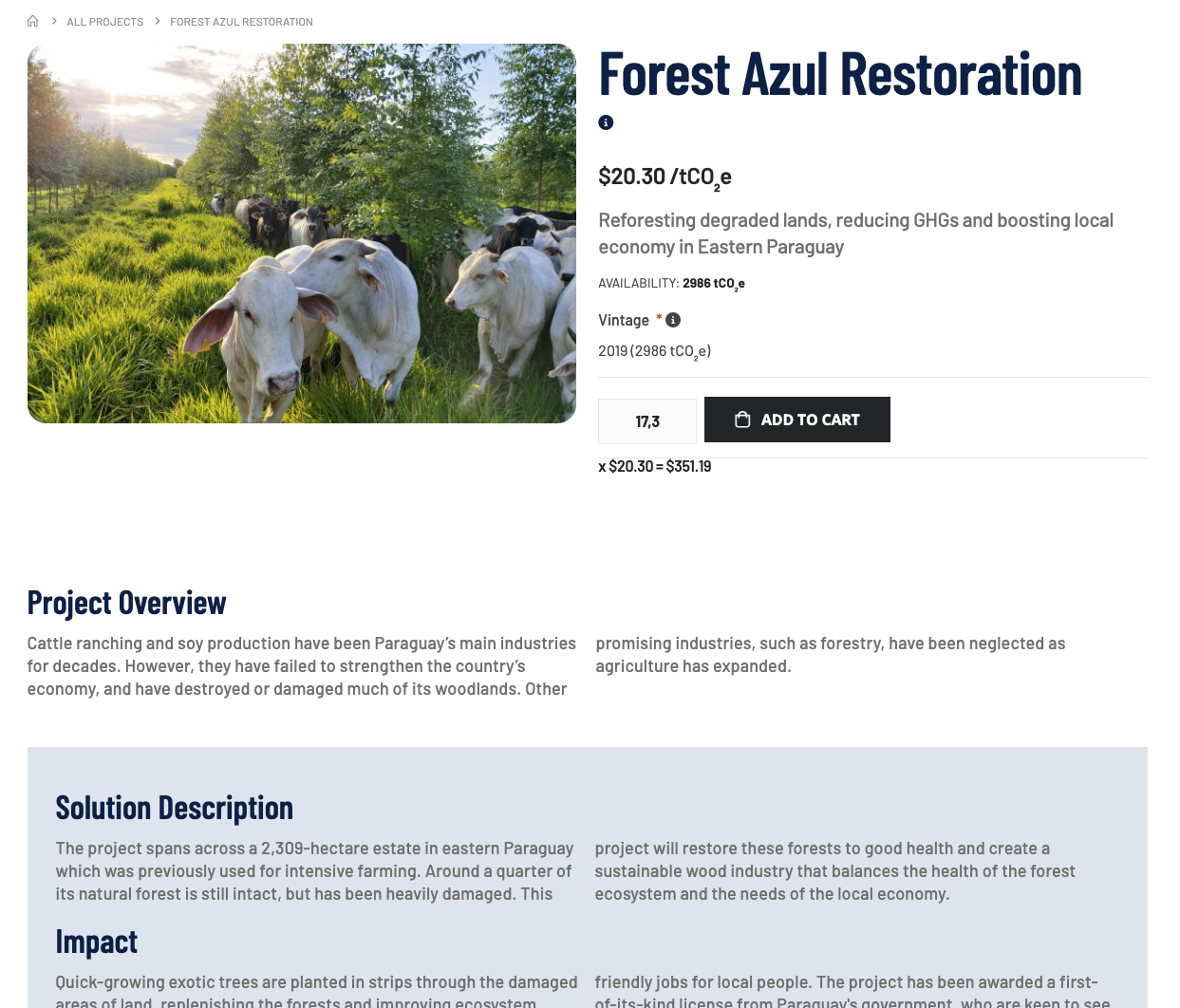
Volume - this refers to the amount of tonnes of CO2 equivalent you’d like to purchase. This field is greyed out, as it is automatically filled out from the calculated emissions carried over from the MIR tool
Please be aware that you can only support 1 project per order.